

Bimg AI Browser Extension for Nano Banana
Generate and edit AI images from the page you are already viewing. Install the free Bimg AI extension for Chrome, Edge, or Firefox, then create with Nano Banana models, references, and image tools without switching apps.
Free to install · Bimg AI account required
Screenshots
See It in Action
Open the panel, choose a model, write a prompt, or right-click a webpage image to start from a reference.
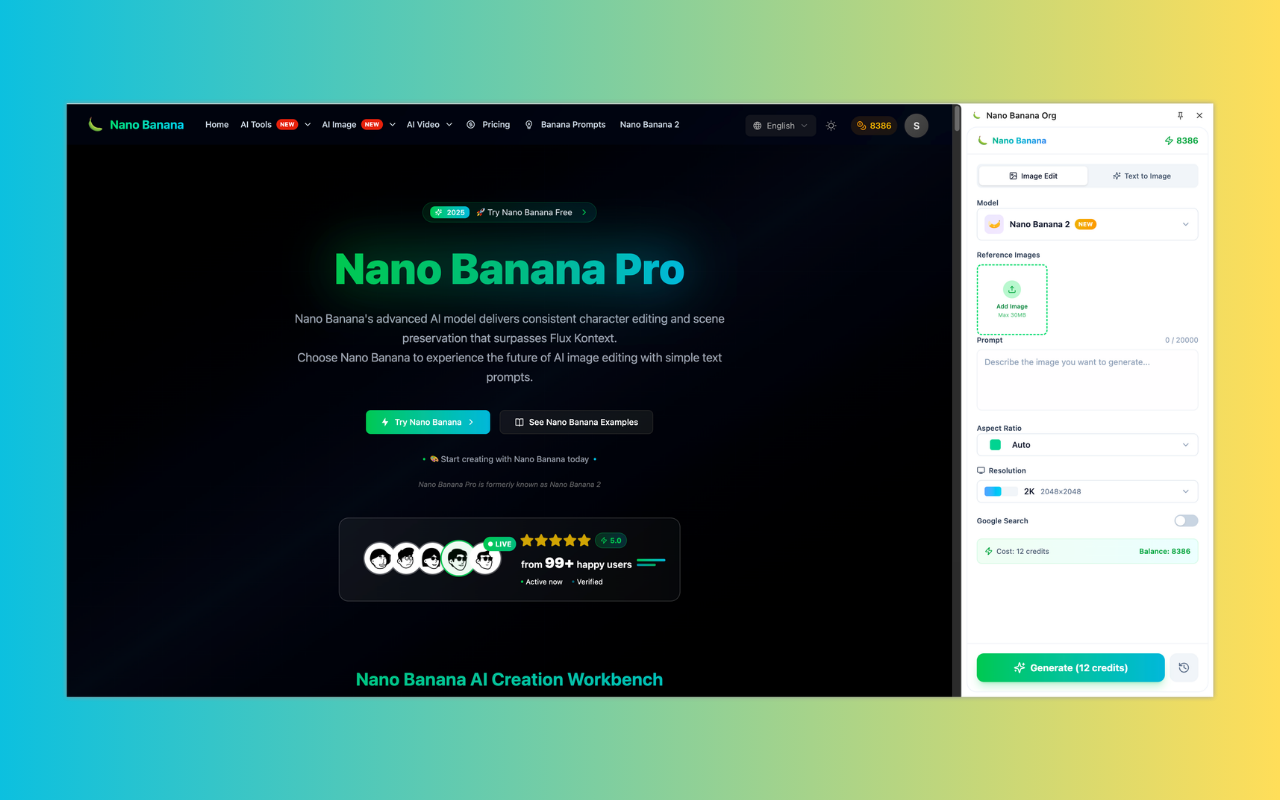
Bimg AI image workspace with Nano Banana models, available from your browser
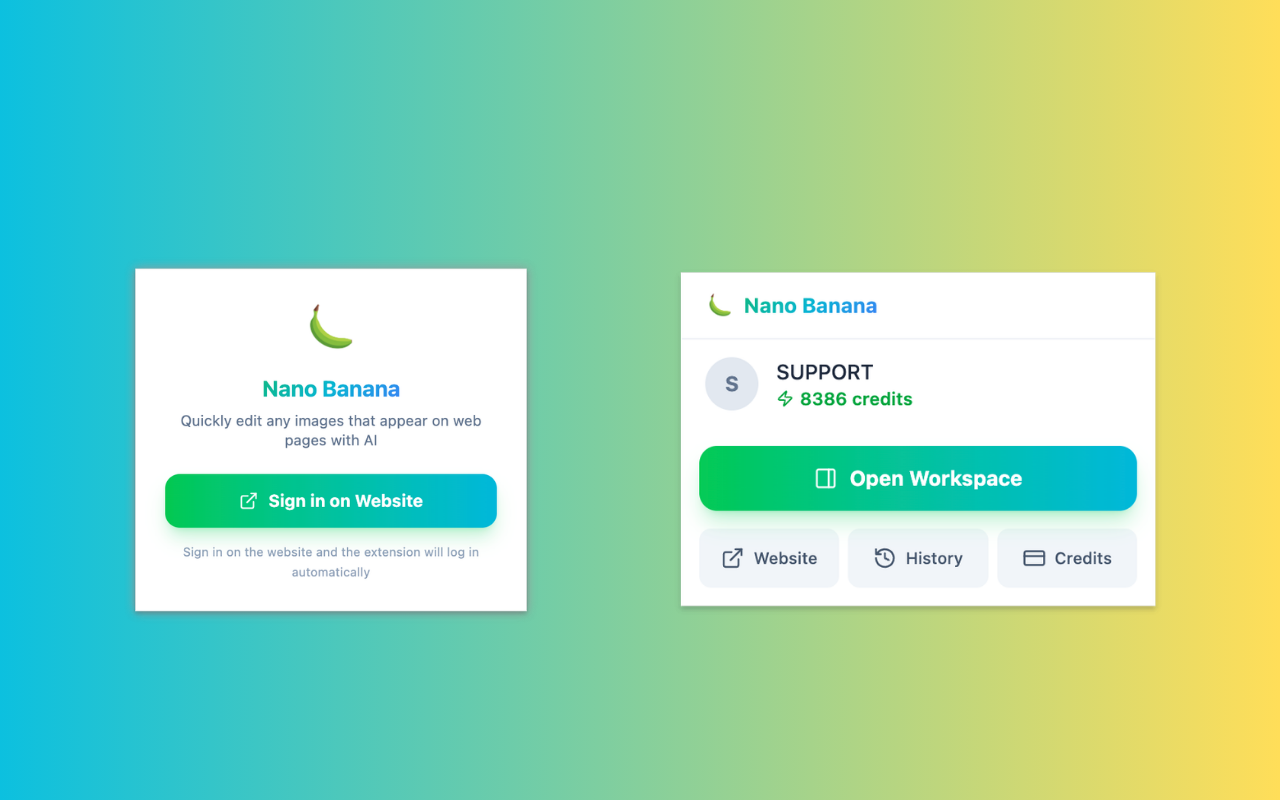
Sign in once on the website — the extension logs in automatically
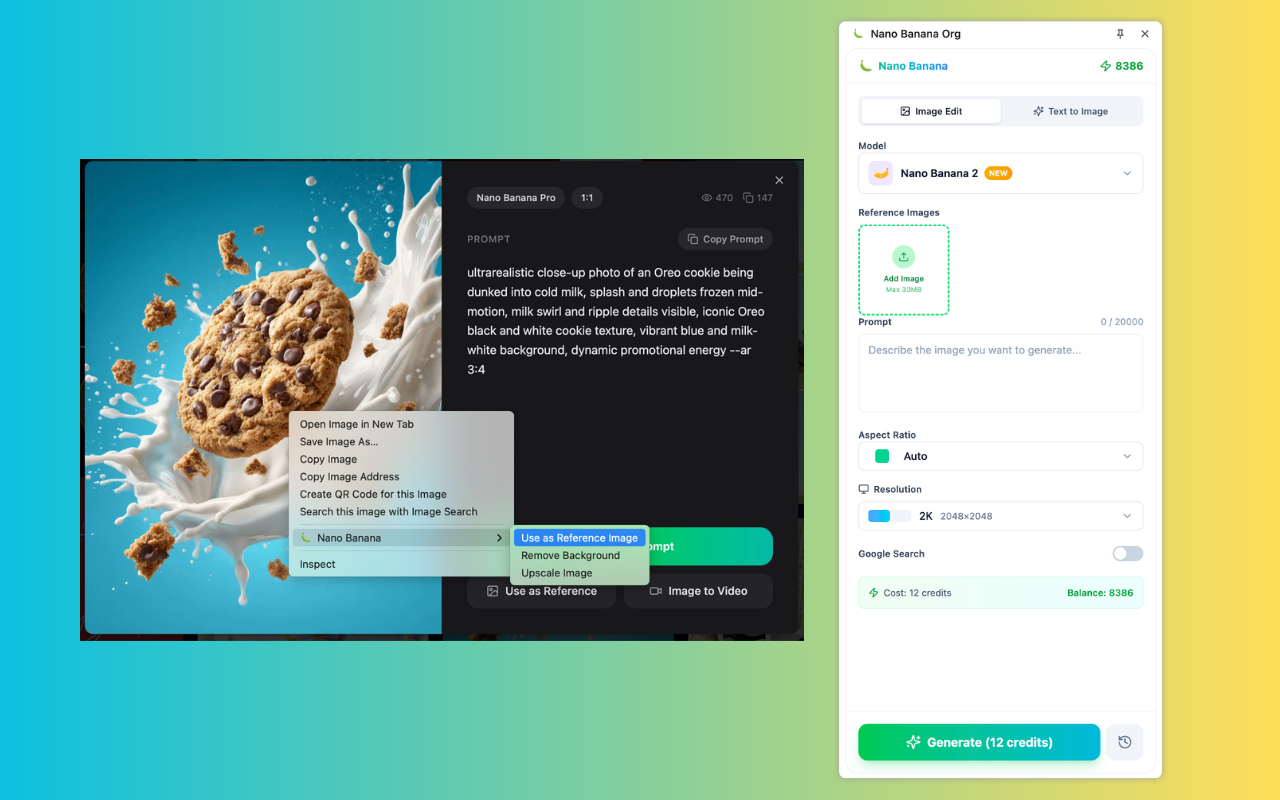
Right-click any image to use it as reference, remove background, or upscale
Features
Bimg AI Image Creation with Nano Banana, Built Into Your Browser
Use the extension to create images, edit with references, remove backgrounds, upscale images, and keep your Bimg AI account connected while you browse.
Free Browser Install
Add the extension to Chrome, Edge, or Firefox for free. Sign in with your Bimg AI account to use your credits, history, and available image models.
Nano Banana, Nano Banana 2 & Pro
Choose the model that fits the job: Nano Banana for fast creative work, Nano Banana 2 for sharper image quality, and Nano Banana Pro for higher-resolution brand or design assets.
Create Without Leaving the Page
Open the extension panel from any tab and generate images beside the content you are researching, shopping, planning, or designing around.
Fast Prompt-to-Image Workflow
Start from a prompt, pick a model and aspect ratio, then download or save the result to your Bimg AI library when generation completes.
Right-Click Any Image on the Web
Use the context menu to send webpage images into Bimg AI as Nano Banana references, background-removal inputs, or upscaling sources without downloading them first.
Synced Bimg AI Account
Your credits, generation history, and preferences are shared with your Bimg AI account, so web app and extension workflows stay connected.
How It Works
How to Use the Bimg AI Browser Extension
Install the extension, sign in, and start creating AI images directly from your browser.
Install the Extension
Choose Chrome, Edge, or Firefox and add the Bimg AI extension from the official browser store.
Sign In on the Website
Sign in on bimg.ai and the extension logs in automatically. Your credits, history, and preferences sync instantly — no separate login needed.
Describe Your Vision
Choose Nano Banana, Nano Banana 2, or Nano Banana Pro, type a prompt, set your aspect ratio, or right-click a webpage image to use it as a reference.
Download or Share Instantly
Download the finished image, copy it, or save it to your Bimg AI library without leaving the page you are working on.
FAQ
Bimg AI Extension FAQ
Answers about free installation, supported browsers, accounts, credits, models, right-click tools, and image resolution.
What is the Bimg AI extension for Nano Banana?
The Bimg AI extension is a browser add-on for Google Chrome, Microsoft Edge, and Firefox. It lets you create with Nano Banana models, edit and download AI images from a browser panel, and use webpage images as references through the right-click menu.
Which browsers support the Bimg AI extension?
The Bimg AI extension is available for Google Chrome (via the Chrome Web Store), Microsoft Edge (via the Edge Add-ons store), and Firefox (via Firefox Add-ons).
Do I need an account to use the extension?
Yes. The extension is free to install, but image generation and editing require a Bimg AI account. Sign in on bimg.ai and the extension can use the same account, credits, history, and settings.
Can I use my existing Bimg AI credits in the extension?
Yes. Your Bimg AI credits are shared across the web app, the browser extension, and supported Bimg AI tools. There is no separate extension-only credit balance.
Which AI models are available in the extension?
The extension supports all three models in the Nano Banana family: Nano Banana (fast creative generation), Nano Banana 2 (next-level image quality), and Nano Banana Pro (professional studio controls, up to 4K output, advanced subject consistency). Switch between them freely inside the extension panel.
Can I use webpage images as reference in the extension?
Yes. Right-click an image on a webpage and use the Bimg AI context menu to send it as a Nano Banana reference image, remove its background, or upscale it when available. Make sure you have the right to use the source image.
What image resolutions does the extension support?
The extension follows the resolution options available in the Bimg AI web platform. Supported output size depends on the selected model, plan, and task settings.
How do I update the extension?
Extensions update automatically in Chrome, Edge, and Firefox. All model and feature updates happen server-side instantly — no browser update needed to get the latest capabilities.
Add Bimg AI to Your Browser
Install the free extension for Chrome, Edge, or Firefox and create AI images with Nano Banana from the page you are already using.