
Midjourney vs Nano Banana: Which AI Image Generator Is Better for Your Workflow in 2026?
Choose Midjourney V8.2 when you’re still deciding what an image should look like. Choose Nano Banana 2.1 when you already have an image and a list of changes. For concept art and moodboards, Midjourney gives you separate controls for a subject and its visual style. For ads, mockups, and recurring characters, Nano Banana lets you work from approved references and describe the next revision. If just one part of a finished composition needs attention, Midjourney’s Editor also lets you paint over the area to replace.
What Is Nano Banana, Really?
Google originally used Nano Banana for Gemini 2.5 Flash Image. The name now covers a family. Nano Banana 2 is Gemini 3.1 Flash Image, Nano Banana 2.1 is its October 2026 update, and Nano Banana Pro is Gemini 3 Pro Image. The Pro model and a website’s Pro subscription are two separate choices. One determines which model draws the image. The other determines which features your account can use.
Midjourney vs Nano Banana at a Glance
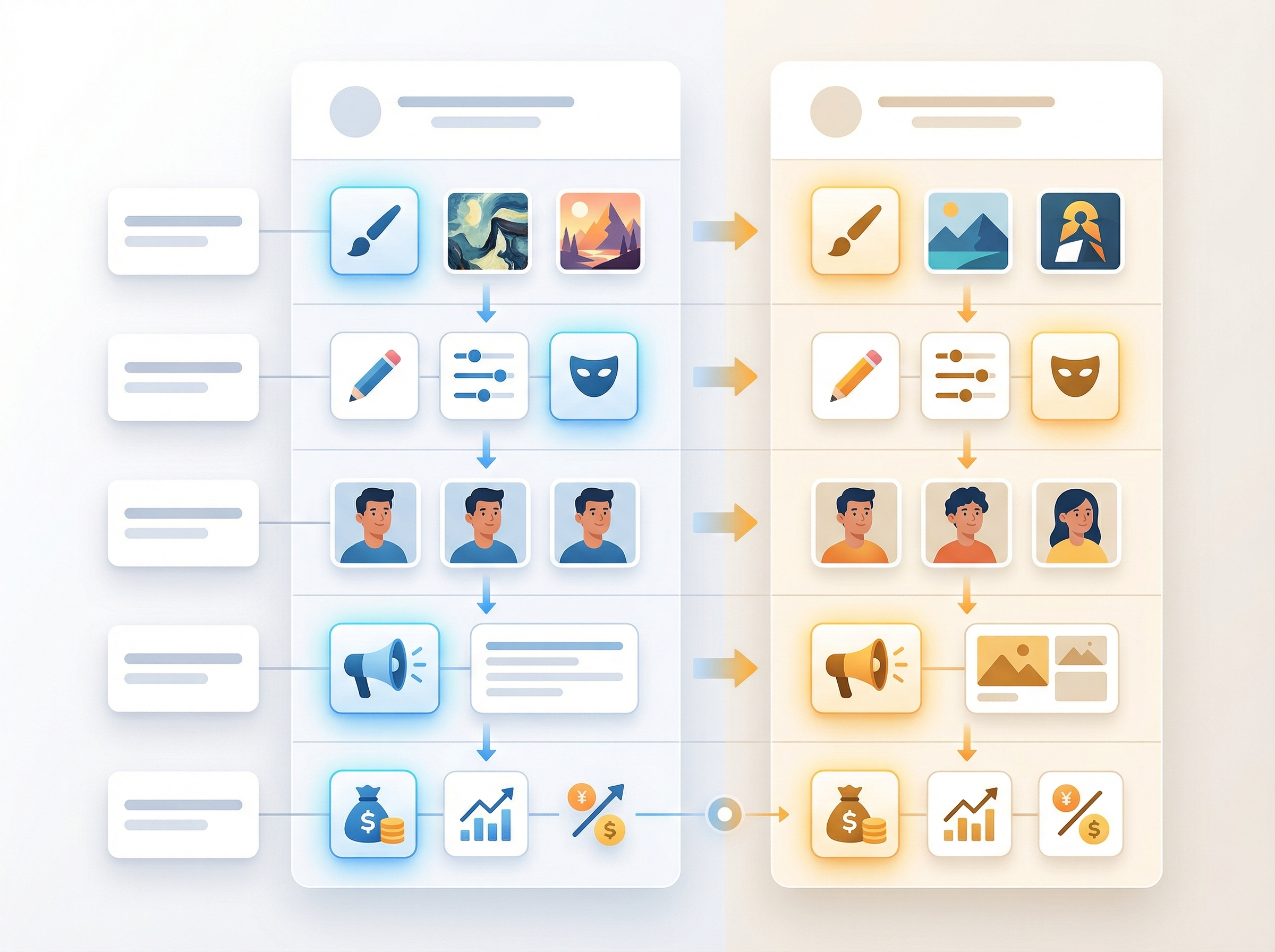
| Category | Midjourney V8.2 | Nano Banana 2.1 |
|---|---|---|
| Style and art direction | Use Style Reference for a palette, medium, texture, or lighting treatment | Supply a style example alongside a subject reference and describe what each should contribute |
| Editing | Attach an image to the Edit Model and give an instruction, or brush over a region in the Editor | Start from the approved frame and specify what to change and which details to preserve |
| A recurring character | Reuse the character sheet as an Edit Model reference and the illustrated look as a Style Reference | Supply the character sheet again when changing the pose, location, or crop |
| Campaign output | Explore several compositions before committing to a look | Build a set of variants from the same product photo or layout |
| Cost | Monthly subscription with GPU time and plan-specific generation modes | Per-image credits on this site, or usage-based pricing through Google’s Gemini API |
Where Midjourney Still Wins
Concept art, moodboards, and style-led creative work
Midjourney remains especially strong for concept art, moodboards, editorial visuals, and fashion-forward or cinematic compositions. For many artists and visual thinkers, it is a tool for discovering visual directions. Take a theater poster. A woodcut and a flash photograph of the same actor make two genuinely different proposals. Keep the actor and framing in the prompt, swap the Style Reference, and compare the posters at thumbnail size. Which one reads from across the lobby?
Creative control after you pick a direction
In V8.2, put an image in Style Reference to borrow its visual treatment. To bring a particular person or object into a scene, attach its picture to the Edit Model. Midjourney documents support for up to four attached reference images and written edit instructions. A V7 tutorial that recommends Omni Reference is describing the older workflow. If only a sleeve or a prop needs changing, mark that area in the Editor and leave the rest of the frame in place.
Where Nano Banana Wins
Editing, transformations, and multiple references
Changing a background while preserving the subject, keeping a character consistent across scenes, and turning one asset into several campaign variants are all good reasons to start from a reference. Nano Banana comes into its own when a client can point to the revision. “Move the chair to the left so the door opens” gives you a position to check, a reason for the change, and an original frame to compare. If you supply two references, assign each a job. Ask for the chair from the first photo, the room from the second, and the camera angle from the room photo. Check the chair legs where they meet the floor.
Ads and production work
A creative team usually needs several variations, revised copy zones, and consistent subjects. For a portrait ad and a square listing, start each from the same approved image. Specify the crop and the space for copy in each brief. Keep the master file handy so that a small error in one variant doesn’t become the starting point for the next.
Midjourney vs Nano Banana on Price
Prices below were checked on November 15, 2026. Choose the row that matches where you generate.
| Service | What you pay |
|---|---|
| Midjourney, billed monthly | Basic $10, Standard $30, Pro $60, Mega $120. Standard and above include unlimited Relax image generation. |
| Nano Banana 2.1 on this site | 4 / 8 / 12 credits per image at 1K / 2K / 4K, respectively. At those same sizes, Nano Banana 2 costs 8 / 12 / 14 credits and Nano Banana Pro costs 8 / 12 / 16. The 4K option requires a Pro or Premium subscription. |
| Google Gemini API, Standard | For a square 2K image, the image-output portion is $0.0504 with Nano Banana 2.1 and $0.134 with Nano Banana Pro. Inputs, text, and any other applicable charges are additional. |
Which one is cheaper?
Suppose you generate six 2K images on this site with Nano Banana 2.1 and the client approves two. The job used 48 credits, or 24 credits per approved image. Use the site’s plans and credit packs to convert that to your actual spend. With Midjourney, allocate the share of your monthly subscription used for the job and divide it by the same two deliverables. If one option leaves a label or a hand to repaint, include those minutes in your comparison.
Image Quality by Use Case
Midjourney vs Nano Banana for realism
A rainy street scene and a catalog photograph ask different things of an image. For the street, use Midjourney to explore mist, backlighting, and reflections. See whether the same light source can explain the highlights on both the road and the people. For a catalog revision, use the approved photograph as the Nano Banana reference. Compare the material, silhouette, and contact shadow at full size. Both pictures can feel photographic while satisfying different briefs.
Nano Banana vs Midjourney for creative output
For concept art, try three Midjourney compositions with the same subject and visual reference. Pick the one whose silhouette carries the idea even in black and white. When the illustrator hands you an approved drawing and asks for a winter scene around it, try Nano Banana with that drawing as the input. The question then is whether you can recognize the artist’s linework after the setting changes.
Midjourney vs Nano Banana for Facebook ads
Use Midjourney to choose between campaign looks while the idea is open. Once the creative is approved, Nano Banana is a practical choice for adapting it to a square feed placement and a vertical ad. Preview each at phone size with the real headline in place. A wide shot that reads well on a monitor can lose the subject behind the offer text on a phone.
Nano Banana mockups vs Midjourney
For product editing, start with the approved packshot. Nano Banana 2.1 can take the photo and a written change request. Midjourney’s Editor is a good option when you can draw the exact boundary of the change. For print mockups that need an exact logo, keep the supplied artwork on its own layer.
Try a background swap with this coffee tin. Save the reference image and upload it to the Nano Banana 2.1 editor. To compare tools, attach the same file to Midjourney’s Edit Model. Use the original 4:3 frame and the same instruction in both.
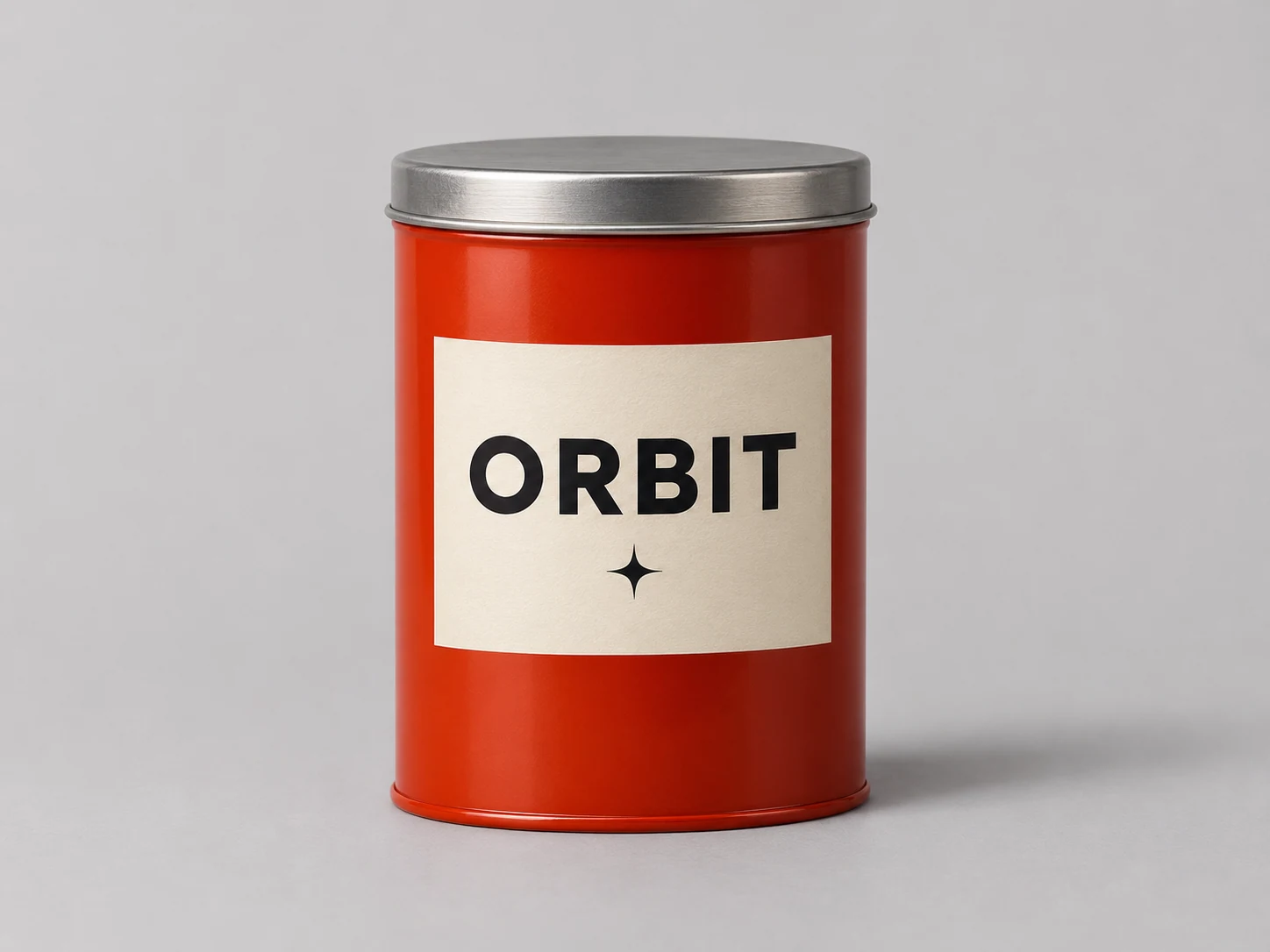
AI-generated practice image. Use it as the input for either tool.
Change the gray surface and background to matte midnight blue. Keep the tin in its original position and size. Preserve the red finish, brushed silver lid, cream label, exact word “ORBIT,” and four-point star. Keep the soft light from the upper left.
At 100%, compare the leg of the R, count the star’s points, and check whether the shadow meets the base. If the lettering drifts, return to the original and mask just the background in Midjourney’s Editor. To explore an ad variation from the same product, try this in a separate prompt. “Vertical poster, narrow afternoon light across a midnight-blue counter, long shadow to the right, space above the lid for a headline.” Set the new frame to 4:5.
Midjourney vs Nano Banana Pro for kids book illustrations
Use Midjourney to explore the visual language of the book, then try a continuity test before drawing a whole spread. Give its Edit Model and Nano Banana Pro the same character sheet. Ask for the child to turn sideways, take off a coat, and carry it under one arm. Check whether the pocket stays on the correct side and the face still reads as the same child. If both outputs pass, choose the one whose line and color sit naturally beside the approved page.
Midjourney vs Nano Banana Pro vs Nano Banana 2
For a new reference-led job, 2.1 is a sensible first trial. It supports 1K, 2K, and 4K output, and a 2K attempt on this site costs fewer credits than either 2 or Pro. If an existing series was made with Nano Banana 2, compare one new scene with its approved neighbors before switching. For Midjourney vs Nano Banana Pro, let the deliverable decide. Midjourney’s style controls are useful for finding a look. Pro is worth trying when you already have a character sheet, a complex layout, or a prompt that has produced approved work. The 2.1 vs Pro comparison goes into the differences between Google’s two models.
What Real-World Comparisons Suggest
In a September 2025 nine-prompt comparison, the Tom’s Guide reviewer preferred Midjourney’s rainy New York café scene and Nano Banana’s interpretation of a Japanese woodblock print. Those were earlier models. The reviewer judged the café on atmosphere and the print on how closely the image followed the requested medium. For a current comparison, write the acceptance criterion before generating, give each tool the same inputs, and keep track of every attempt.
Midjourney vs Nano Banana vs ChatGPT and Other Alternatives
vs ChatGPT image generation
If the brief and client feedback already live in ChatGPT, you can upload a reference there and request an edit in the same conversation. Include ChatGPT in a comparison when keeping that context would save work.
vs Leonardo AI, Krea, and others
If you already produce assets in Leonardo AI or Krea, run one revision there, too. Compare the minutes from receiving the brief to exporting an acceptable file, including manual fixes.
Should You Choose One, or Use Both?
- Use Midjourney to explore style, mood, composition, and visual direction.
- Pick the strongest image or visual concept. Save the chosen frame and the original subject reference.
- Move to Nano Banana for alternate views or a set of controlled revisions. Compare each finished image with the approved frame. If all you need is one local correction, finish it in the editor you already have open.
Final Verdict: Which One Should You Choose?
Pick Midjourney V8.2 for a brief that offers several plausible visual directions. Pick Nano Banana 2.1 for a brief that names the subject, supplies a reference, and specifies what has to change. Keep Nano Banana Pro in the comparison for an established illustration or design series. An approved adjacent page makes a better test of continuity than an isolated first impression.
FAQ
Is Nano Banana better than Midjourney?
Start with Nano Banana 2.1 for instructions tied to an existing image. Midjourney suits building a look from style references, and its Editor is useful for retouching a specific area.
Is Midjourney better for realism?
For atmospheric scenes, try Midjourney with a lighting reference. For an edit of a real object, judge both tools against the original edges, material, and shadows.
Is Nano Banana cheaper than Midjourney?
For occasional work, price the exact model, size, and number of attempts. If you already pay for Midjourney Standard and can use Relax mode, include that capacity when you compare costs.
Which is better for Facebook ads and marketing creatives?
Midjourney suits the concept stage. Nano Banana 2.1 is a good starting point for adapting one approved asset to several placements.
Which is better for mockups?
Try Nano Banana for reference-based scene changes. Use a selected-area edit or composite the original artwork when the logo and typography must match exactly.
Which is better for kids book illustrations?
Try Midjourney for the book’s visual style. For a recurring cast, compare a second scene in its Edit Model and Nano Banana Pro using the same character sheet.